The missing layer in your LLM observability stack: from infrastructure to intent
The missing layer in your LLM observability stack: from infrastructure to intent

TLDR
→ This article was written by Anton Freyberg, Country Manager at Nebuly and former Services Architect at Dynatrace, where he helped some of the largest enterprises across EMEA build their observability infrastructure. → Modern observability tools handle the infrastructure layer of AI agents well: latency, token usage, cost, uptime, and anomaly detection. They do not answer whether users are getting value from the conversations they are having. → Waiting for users to submit explicit feedback - thumbs up, thumbs down, feedback boxes - does not work at scale. Most dissatisfied users never rate the interaction. They simply stop returning. → User analytics for AI agents extracts behavioral signals from conversation logs: what users are asking, where they rephrase or abandon, which topics generate the most friction, and what the implicit signals in conversation behavior reveal about agent performance. → Observability and user analytics address different questions. Observability answers: is the system running correctly? User analytics answers: are users getting what they came for? Both layers are needed to operate AI agents at enterprise scale.
Up until a few months ago, I spent all of my career as a Services Architect at Dynatrace, helping some of the largest enterprises across EMEA set up their observability stack with Dynatrace. We spent a lot of time perfecting infrastructure metrics, application metrics, logging and tracing, but the end goal was always to link these signals to the actual user behavior. We called it Digital Experience Monitoring (DEM).
The user interfaces – web and mobile - were deterministic. We used JavaScript tags to capture concrete actions: page loads, button clicks, scrolls, and image rendering. If a user clicked "Checkout" and the API failed, we knew exactly why the experience broke and its impact on the business.
But slowly LLMs joined the game, and after the standard web and mobile interfaces, we’re seeing the conversational interfaces rapidly increasing in traction.
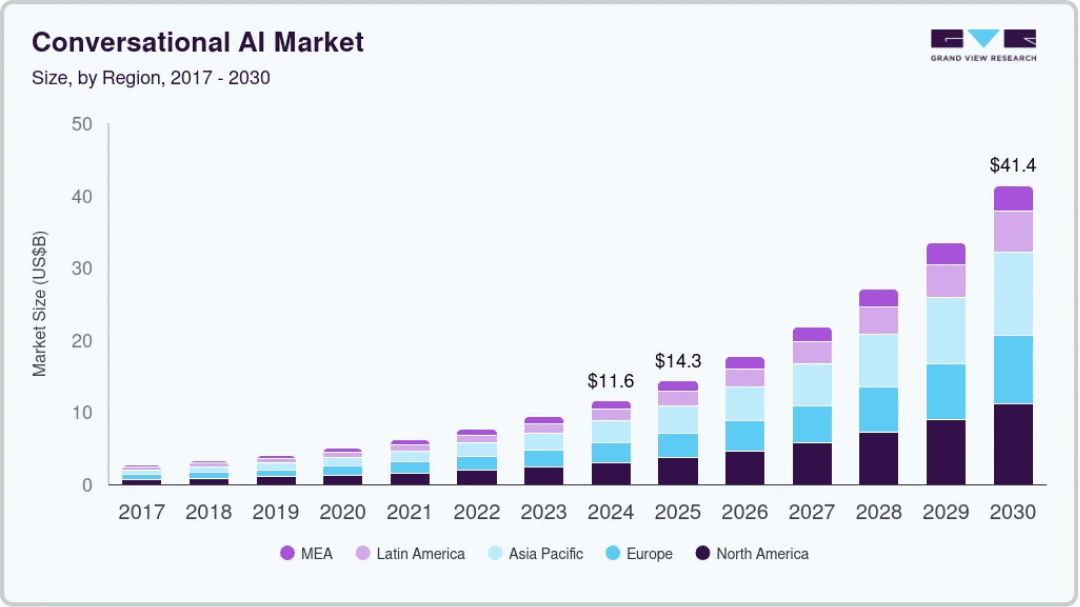
Grand View Research 2024
Why Observability is Indispensable and what it’s still missing
When GenAI emerged, the major observability providers adapted their existing strengths to this new technology – rightly so. They tackled the "infrastructure" of AI: Performance monitoring.
Today, tools (including Dynatrace) are fantastic at visualizing tokens, tracking latencies, calculating costs, as well as detecting and alerting on outages using open standards like OpenTelemetry.
This layer is indispensable. You must detect anomalies instantly. We need these tools to ensure the systems are up and running.
Still, it’s missing a bit: User Experience. Somehow, we forgot about this layer for LLMs, while acknowledging it’s the most important thing in our usual customer interfaces: mobile and web.
We can answer: "Is my chatbot fast and cost efficient?”
But we can’t answer: "How are my users interacting with the bot and is it helpful?" – which after all is why we’re adding GenAI to our user experience.
Not monitoring the content of your conversation is like ensuring same-day delivery without checking you have the right object in the package.
The Feedback Trap
The first instinct to close this visibility gap is usually to add thumbs up/down buttons or feedback boxes. I used to recommend sending feedback into Dynatrace as events and track those on dashboards. Theoretically a good idea, in practice less so… If you are waiting for your users to voluntarily tell you what is wrong with your product via a feedback box, you might as well wait forever.
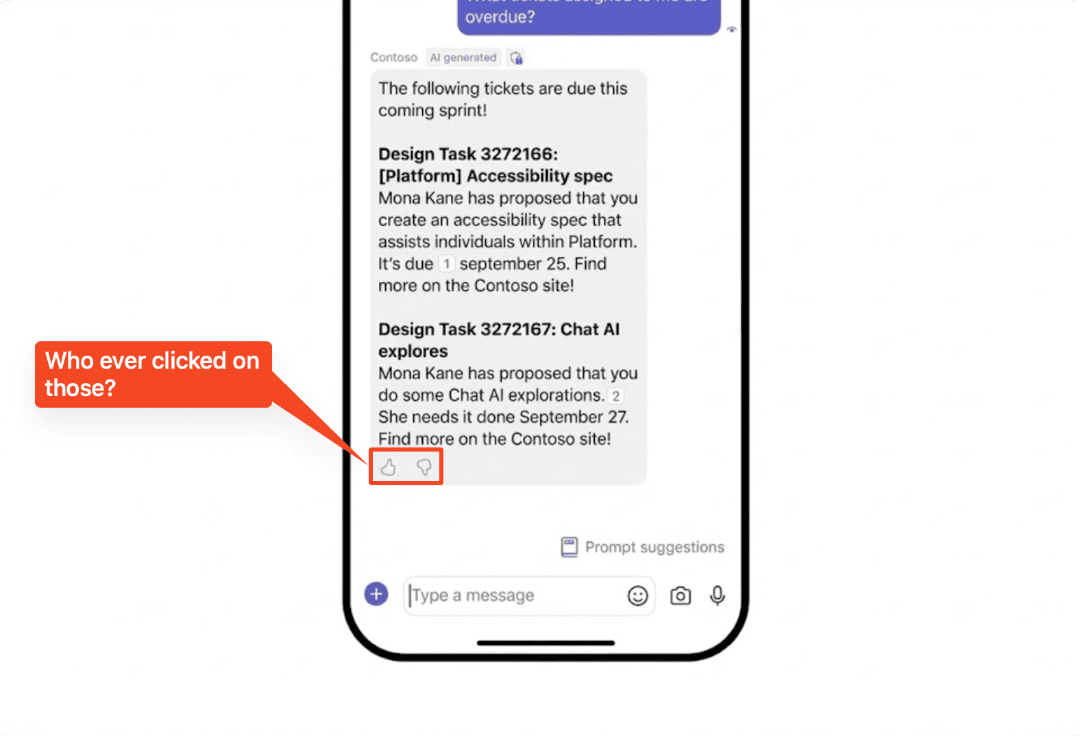
As discussed, we want to monitor the user experience of our AI conversations.
So, what does this look like? Getting user insights from conversations?
Common approaches
I see companies trying to fill this gap in a few ways:
1. Manual Evaluations: Reading logs one by one. This works for 10 chats. It fails for 10,000.
2. Home-Grown Tooling: Engineering teams trying to build complex NLP pipelines instead of focusing on their core product.
3. Developer-Centric Tracing Tools (e.g., Langfuse/LangSmith): These are excellent for developers debugging specific traces or managing prompt versions, but they are designed for debugging code, not analyzing user behavior at scale.
4. GenAI user analytics: Let’s look into it.
GenAI User Analytics
Working at Dynatrace, I never heard of user analytics for GenAI and only got in touch with it through my job at Nebuly. It’s all about extracting behavioral insights from your conversation logs.
When users talk to your GenAI, they are giving you a goldmine of data: what they want, why they want it, and when they are frustrated. They give implicit feedback - for example by re-phrasing a prompt, or just by plainly insulting your bot (it happens more than you think).
What defines GenAI user analytics?
User Analytics for GenAI need to be able to give you the following:
- Topics & Intents: What are users actually trying to do?
- Business Risks: Which conversations reveal a risk to my business (can’t pay anymore, the product I wanted it gone, your page is slow).
- Implicit Feedback: Analyzing retry behaviors and frustration signals.
- Sentiment & Emotion: Are users leaving the chat happy?
- Failure intelligence: Which (sub-)topics have a high error rate (negative implicit feedback) and why? (e.g. was the question off topic, does my bot have difficulties with specific languages, or was the prompt just bad?)
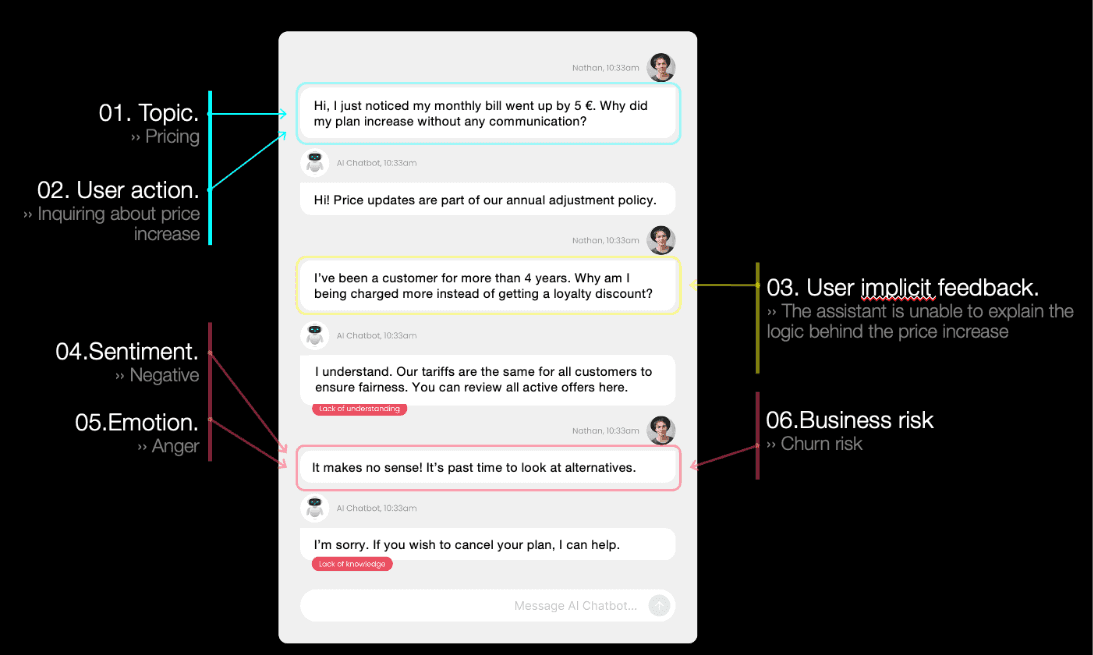
At Nebuly, we aren't trying to replace your observability stack; we are completing it. We provide the dedicated user analytics layer that translates conversational chaos into structured business insights.
If you already have your infrastructure monitoring set up - great. You have the foundation. Now it’s time to turn the lights on and see what your users are actually doing.
If you’re interested in what we do, I suggest looking at our customer case studies.
But you can also see it live, in our public playground.
If you want a run through with myself or a colleague, you can book a demo right here.
My favorite blog post so far: User intent and implicit feedback in conversational AI: a complete guide
FAQs
What is the difference between AI observability and AI user analytics?
Observability monitors infrastructure performance: latency, token consumption, uptime, error rates, and cost. It answers whether the AI system is running correctly from a technical standpoint. User analytics monitors conversation behavior: what users ask, where they abandon or rephrase, which topics generate friction, and whether interactions resolve successfully. Observability tells you the system worked. User analytics tells you whether it was useful.
Why don't thumbs up and thumbs down ratings solve the visibility problem?
Explicit feedback mechanisms only capture the small proportion of users who choose to rate an interaction, typically those with strong reactions in either direction. The majority of users who found an interaction unhelpful simply stop returning without submitting any rating. At production scale, explicit feedback therefore represents a small and unrepresentative sample of actual user experience. Behavioral signals in conversation data, such as rephrase frequency, session abandonment, and escalation patterns, capture every interaction without relying on users to volunteer feedback.
Can developer-focused tracing tools like Langfuse or LangSmith replace user analytics?
Developer tracing tools are designed for debugging code and managing prompt versions at the individual trace level. They give developers visibility into specific technical interactions during development. They are not designed to analyze user behavior at scale across thousands of production conversations, surface behavioral patterns across topic categories, or connect conversation outcomes to business metrics like hours saved or customer retention. The two serve different purposes for different audiences.
What signals does user analytics extract from AI agent conversations?
User analytics for AI agents surfaces several categories of behavioral signal: topic and intent distribution showing what users are actually trying to accomplish; implicit feedback signals including rephrase frequency and session abandonment showing where the agent is failing without users explicitly saying so; failure intelligence identifying which topic categories have high error rates and why; sentiment and emotional signals showing whether users are leaving conversations satisfied or frustrated; and business risk signals showing where conversations contain patterns relevant to compliance, retention, or commercial outcomes.
Where does Nebuly fit relative to an existing observability stack?
Nebuly adds the user analytics layer on top of existing observability infrastructure rather than replacing it. If an organization already has infrastructure monitoring through tools like Dynatrace, Datadog, or OpenTelemetry-based systems, Nebuly provides the complementary layer that those tools are not designed to cover: behavioral analysis of what users are doing in conversations and what those conversations reveal about business outcomes. The two layers answer different questions and are designed to work together.



Stay up to date on what we're learning, building, and seeing as enterprise teams deploy and measure AI agents in production.
